Microsoft Office Access Courses
Professional Microsoft Access training courses Instructor-Led Microsoft 365 Training
Microsoft Access
Training with an expert
Hands-on, instructor-led Access courses: delivered at our training venues or at your premises, teaching the correct way to set up, run and develop databases.
19+ yearsTraining experience
1-day courses2 levels, public or onsite
UK-wideYour premises or our venues
Some of our clients














Build powerful databases the right way
Microsoft Access can be used to build powerful databases with relatively little effort. It is extremely versatile, and applications can range from linking simple data lists to fully functional accounts and invoicing systems.
Our Access training courses take you from the fundamentals of good database design through to advanced querying and reporting of data, and we are happy to customise any company Access course to include the topics that best meet your needs.
- Two levels: Introduction and Intermediate
- Public courses at our venues, or onsite at your premises
- Free post-course telephone & email support
Tables
Design tables, set data types and assign primary keys.
Queries
Find, calculate and update data with select and action queries.
Forms & reports
Create forms for data entry and reports that group and sort data.
.svg/250px-Microsoft_Office_Excel_(2025%E2%80%93present).svg.png)
Importing data
Bring data in from Excel and other sources.
Courses & Fees
Microsoft Access courses
Join a public course at one of our venues in Preston, Manchester, Liverpool, Leeds or London, or book a course delivered at your premises for up to 8 attendees. Every company course can be customised to include the topics that best meet your needs.
Level 1
Access Introduction
£225 + VAT
1 day · per delegate (public course)
- Onsite: £645 + VAT, up to 8 attendees
- Access basics and database tables
- Queries, forms and reports
Level 2
Access Intermediate
£225 + VAT
1 day · per delegate (public course)
- Onsite: £675 + VAT, up to 8 attendees
- Database design, relationships and importing data
- Parameter, calculated and action queries
*Public course prices are per delegate. Onsite prices are per course for up to 8 attendees. View scheduled course dates or see our volume discounts.
More than just a training day
Tailored Content
Customised to include the topics your team needs
Expert Trainers
Instructor-led, at the pace of your attendees
Reference Materials
Handouts and supporting materials for every attendee
Certificates
Course completion certificate for each attendee
Free Aftercare
Post-course telephone & email support
Course outlines
What the courses cover
From the fundamentals of good database design through to advanced querying and reporting, choose the level that matches your experience. Click a course above to view its full outline.
Level 1
Access Introduction
- Access basics: the Access window, database terminology and Access objects
- Relationships and the function of the primary key
- Database tables: entering, editing, sorting, filtering and finding data
- Data types and designing a new table
- Query use and design
- Creating and modifying forms and reports
Level 2
Access Intermediate
- Review of Access basics
- Database design: data types, field properties, primary keys and relationships
- Importing data
- Parameter queries, calculations and action queries (make table, append, delete, update)
- Forms with subforms and the form controls toolbox
- Reports with calculations, grouping, sorting, labels and graphics
Recent Microsoft courses

Inclusive by design
Training created for every kind of brain
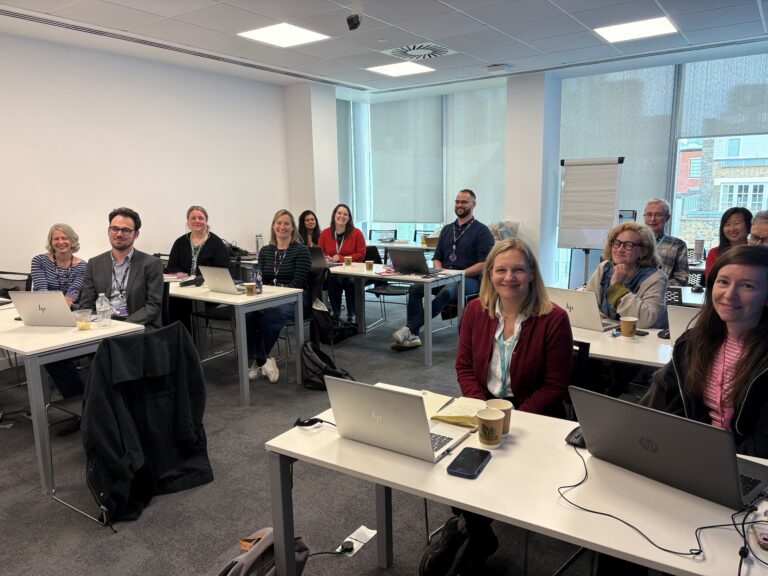
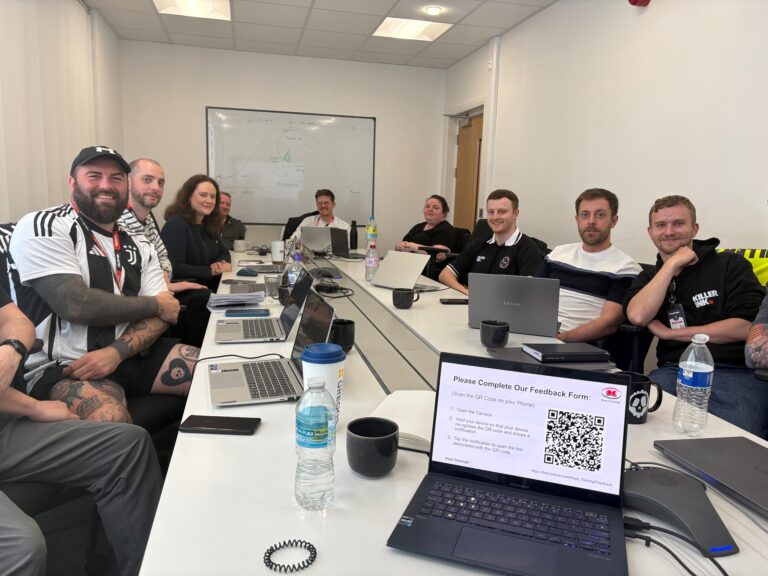
Technical training moves quickly – new ribbons, new features, new ways of working. That is exactly why every Keys Training Microsoft course is built for different types of learners, including neurodivergent attendees and people with disabilities, so nobody is left behind at the keyboard.
Whether someone has dyslexia, ADHD, autism, a hearing or visual impairment, or simply learns best by doing rather than watching, our trainers adapt the pace, the screen and the exercises to the people in the room – on-site or remote.
Every course has been assessed by accessibility experts to make sure it is accessible and beneficial for all.
01
Hands-on, not lecture
Everyone works on their own machine, step by step. Skills are built by doing Access tasks, not by trying to remember a demo.
02
Screen-friendly delivery
Zoomed-in demonstrations, high-contrast views and live captions on remote sessions, so every click is easy to follow.
03
Paced to the room
Small groups with regular catch-up points – the trainer does not move on until every screen matches theirs.
04
Guides that work afterwards
Plain-language step guides and practice files, available in alternative formats on request, so people can revisit at their own speed.
Good to know
Frequently asked questions
Which Microsoft Access course is right for me?
Access Introduction is for new users and covers database terminology, tables, queries, forms and reports. Access Intermediate builds on this with database design, field properties, relationships, importing data, parameter and action queries, subforms and more advanced reports.
Why attend an Access course rather than teach yourself?
Microsoft Access is one of the more advanced programs in the Microsoft Office suite and needs to be set up and used in the correct way. Although it is possible to self-teach up to a point, not following best practice can have serious consequences once a database is in use. On a Keys Training course, delegates learn the correct way to set up, run and develop databases, with reduced fear of problems occurring in the future.
Can an Access course be customised for our team?
Yes. We are happy to customise any company Microsoft Access course to include the topics that best meet your needs. Courses can be held at your premises or at one of our venues in Preston, Manchester, Liverpool, Leeds and London. View scheduled course dates.
Ready to get your team working smarter with Access?
View upcoming scheduled dates, or speak with a training advisor to arrange an Access course for your team.
Or call us on 0345 450 0051 to speak with one of the team today.